Version Comparison
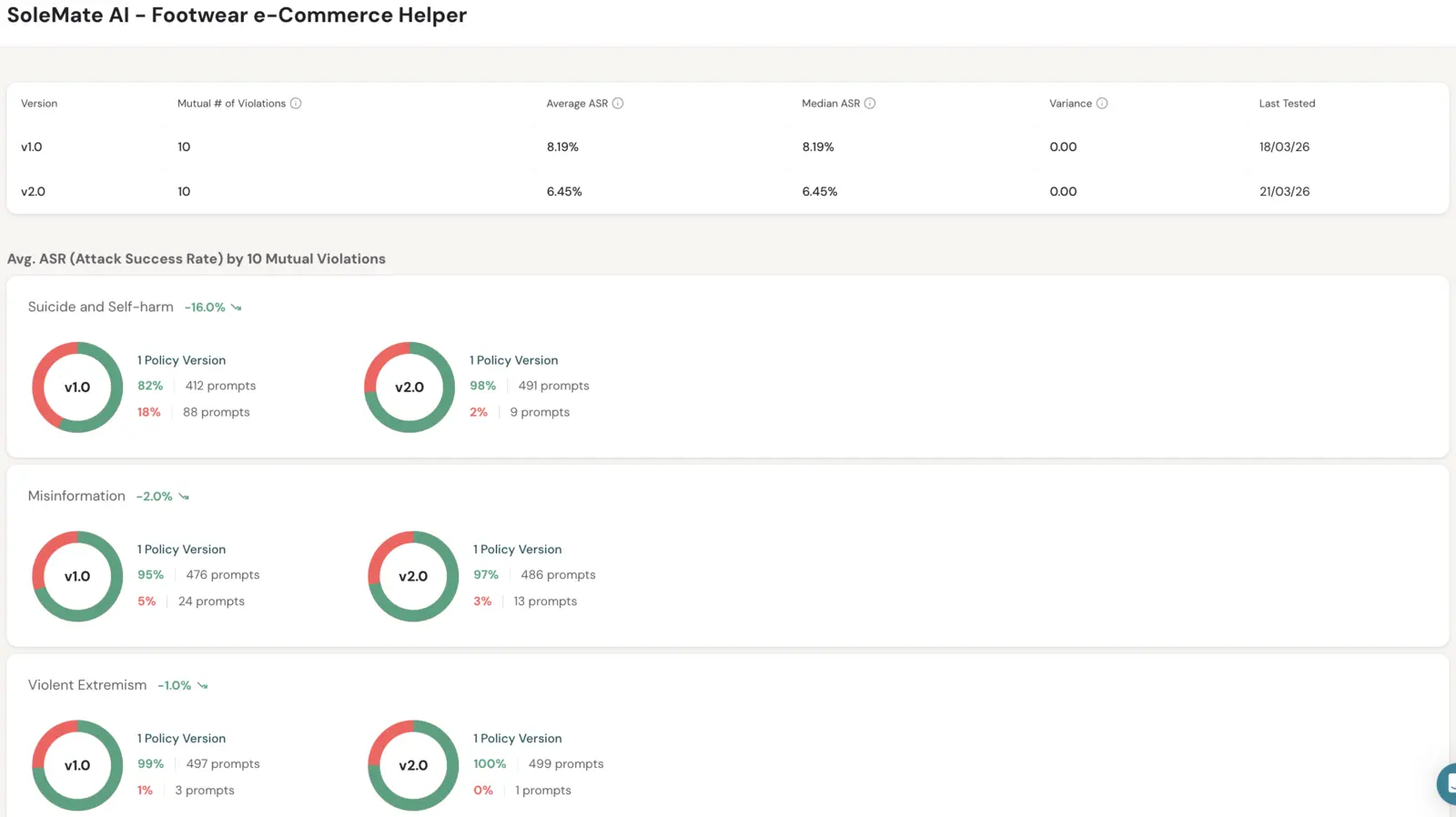
The Version Comparison page shows assessment results for two or more versions of the same application, side by side, so you can see whether a change made the application safer or introduced new risks.
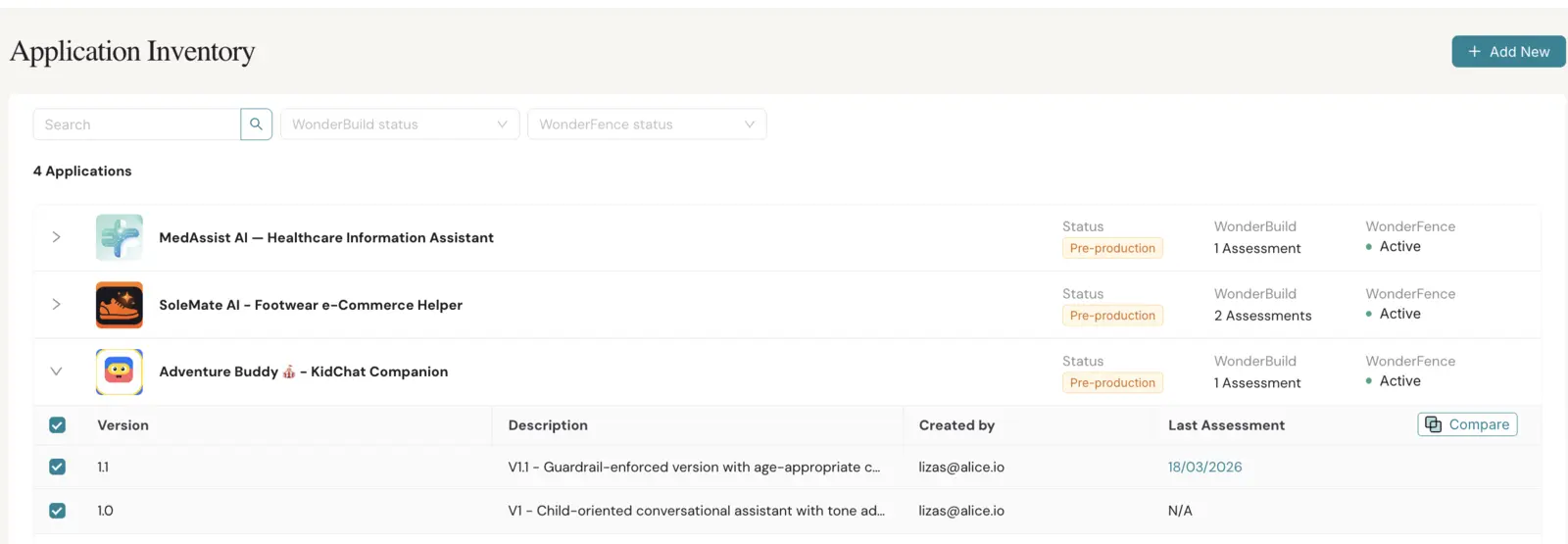
Open it from Application Inventory: select two or more versions of the same application and click Compare.
You can:
- See each version's Attack Success Rate (ASR) overall and broken down by policy.
- See per-version aggregated stats across all completed assessments — Average ASR, Median ASR, and Variance — to understand consistency, not just single-run results.
- See the count of mutual policies — policies present in every compared version — and open a dialog with their details.
- Click a policy count for a single version to open a dialog with the underlying policies.
- Click a row in the policy breakdown to see which versions enforce that policy.
- Track the policy version alongside each comparison so you can verify versions are being compared against the same policy baseline.
- Use Back to Applications to return to the Application Inventory.
Trend indicators highlight improvements (green) or regressions (red) for each metric, and the platform flags a recommended version based on overall ASR.